Merges, never overwrites
A full backup is combined with what's already saved. Messages deleted on the phone are kept and marked. A shrink guard refuses to drop archived messages when a read comes back suspiciously short.
 TextSafe
Add to Chrome
TextSafe
Add to Chrome
TextSafe for Google Drive™ · Chrome extension for Android™ phones
TextSafe copies the conversations you choose from your Android phone — via Messages for web — into a folder in your own Google Drive™: a dated, readable log, structured JSON, a chat-style page, and every photo. Nothing goes anywhere else.
drive.file scope — it only sees files it created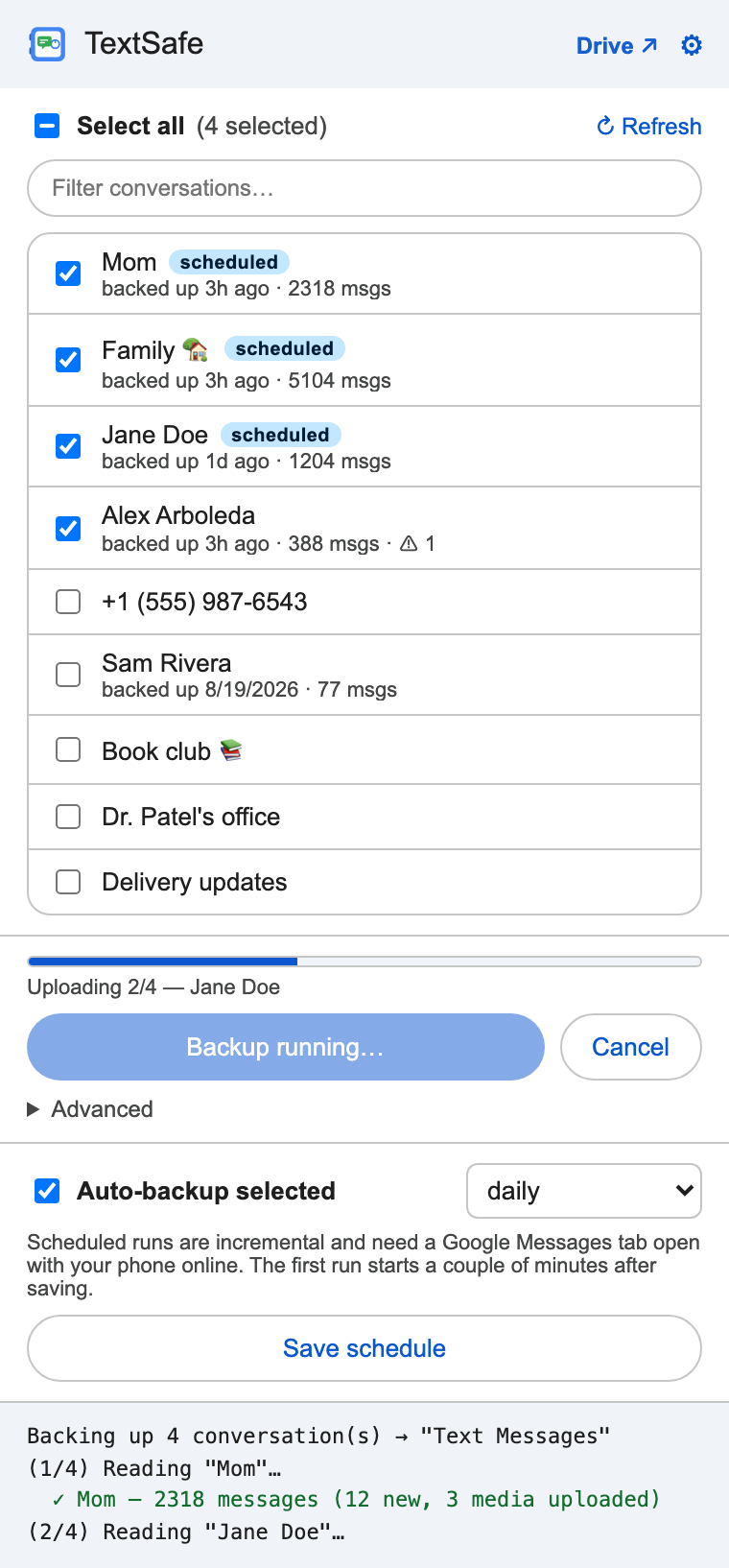
 Works with Android™ phones that use Google Messages, paired with Messages for web in Chrome.
iPhone isn't supported — Apple offers no web client for iMessage.
Works with Android™ phones that use Google Messages, paired with Messages for web in Chrome.
iPhone isn't supported — Apple offers no web client for iMessage.
What lands in your Drive
TextSafe creates a Text Messages folder (rename it if you like) and, inside it, one folder per conversation. Everything is a plain file — no proprietary format, no app needed to read it later.
Text Messages/
  index.html              archive homepage
  backup_log.json         one entry per run
  Jane Doe/
    conversation.txt      dated, readable log
    conversation.json     structured, re-importable
    conversation.prev.json  previous version, kept
    conversation_view.html  chat-style snapshot
    attachments/          media, named by content hash
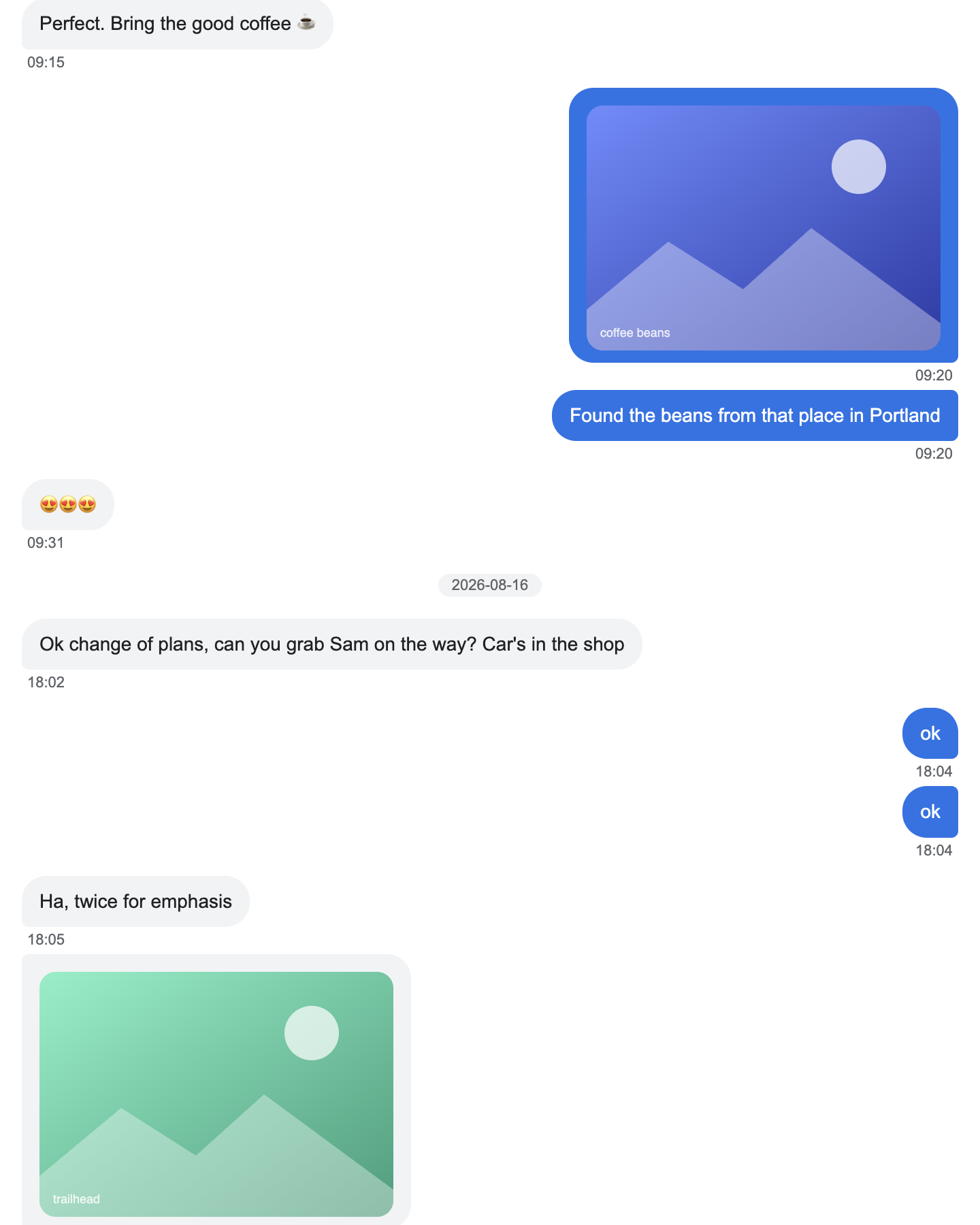
conversation_view.html — self-contained, opens anywhere, prints cleanly.Built for people who don't want to lose a thread
A full backup is combined with what's already saved. Messages deleted on the phone are kept and marked. A shrink guard refuses to drop archived messages when a read comes back suspiciously short.
Every 6 hours, 12 hours, daily or weekly. Runs pick up only what's new — anchored on the last few saved messages, not on a fragile text match.
Each message keeps its full date and time. Group chats keep the name of whoever sent each line. Contacts you rename keep their history.
Photos, videos and voice notes are named by their hash, so the same photo is never uploaded twice and two different photos can never overwrite each other.
If the Messages page changes under it, TextSafe tells you — a thread that comes back empty, one-sided or undated raises a warning rather than a bad backup.
New computer? One click rebuilds the local index from the JSON already in your Drive, and scheduled runs carry on where they left off.
How it works
Google Messages has no public API, so TextSafe reads the Messages for web page in your browser — the same page you can see. That means your phone must be paired and the tab open while a backup runs.
Open messages.google.com/web and scan the QR code from the Messages app. Keep the tab open.
Click the TextSafe icon. Tick the threads you care about — or select all. Your choice is remembered.
Hit Back up selected now, or turn on Auto-backup and pick an interval. Progress lives in the popup; a notification tells you when it's done.
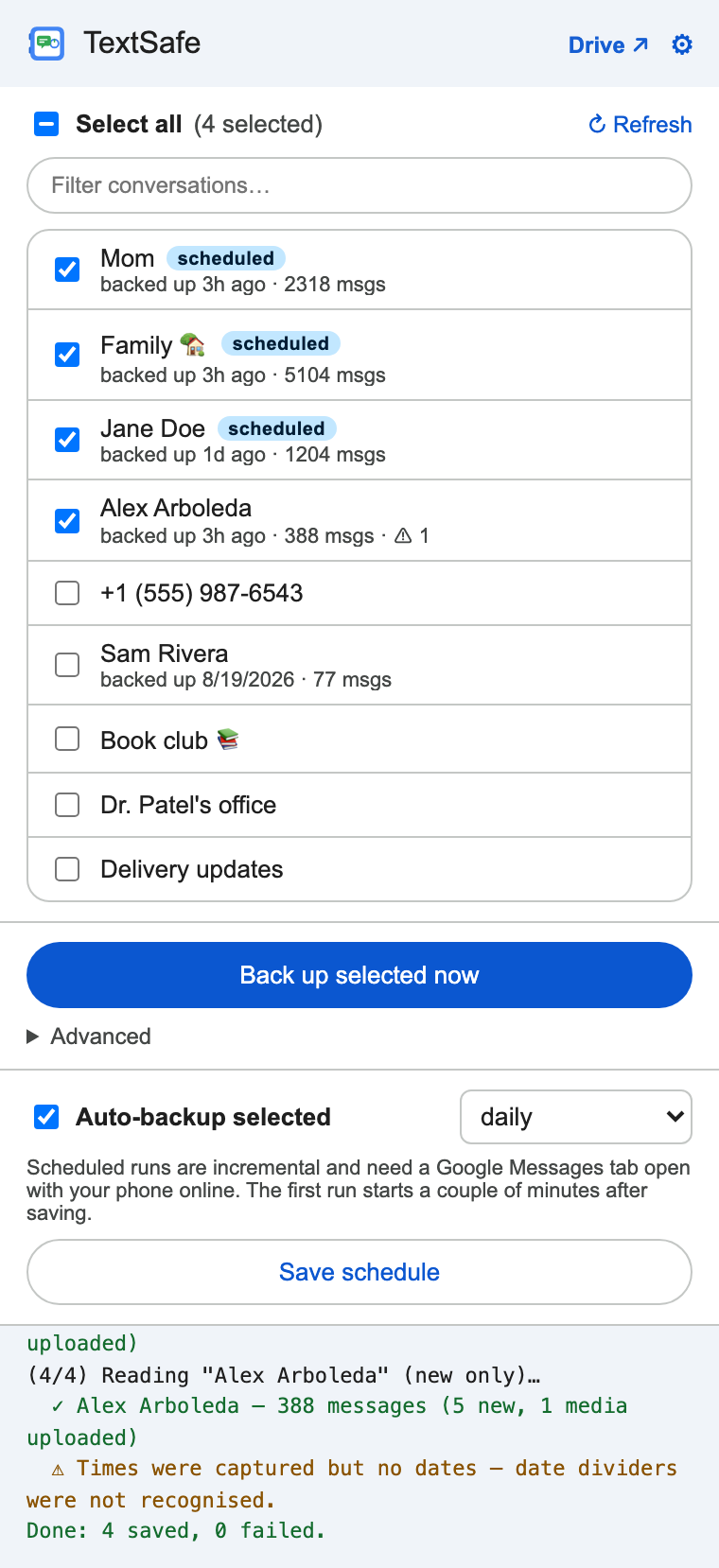
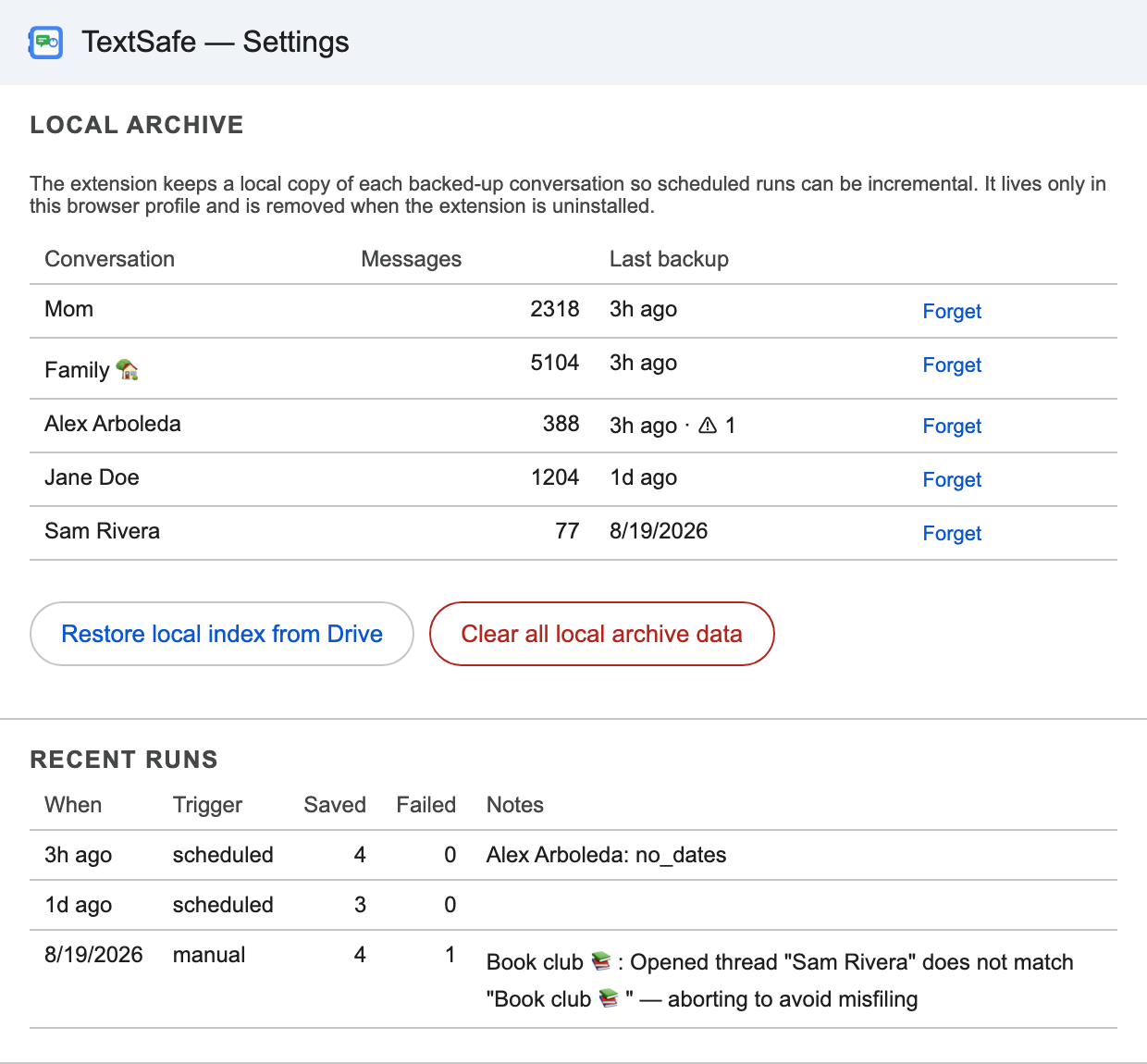
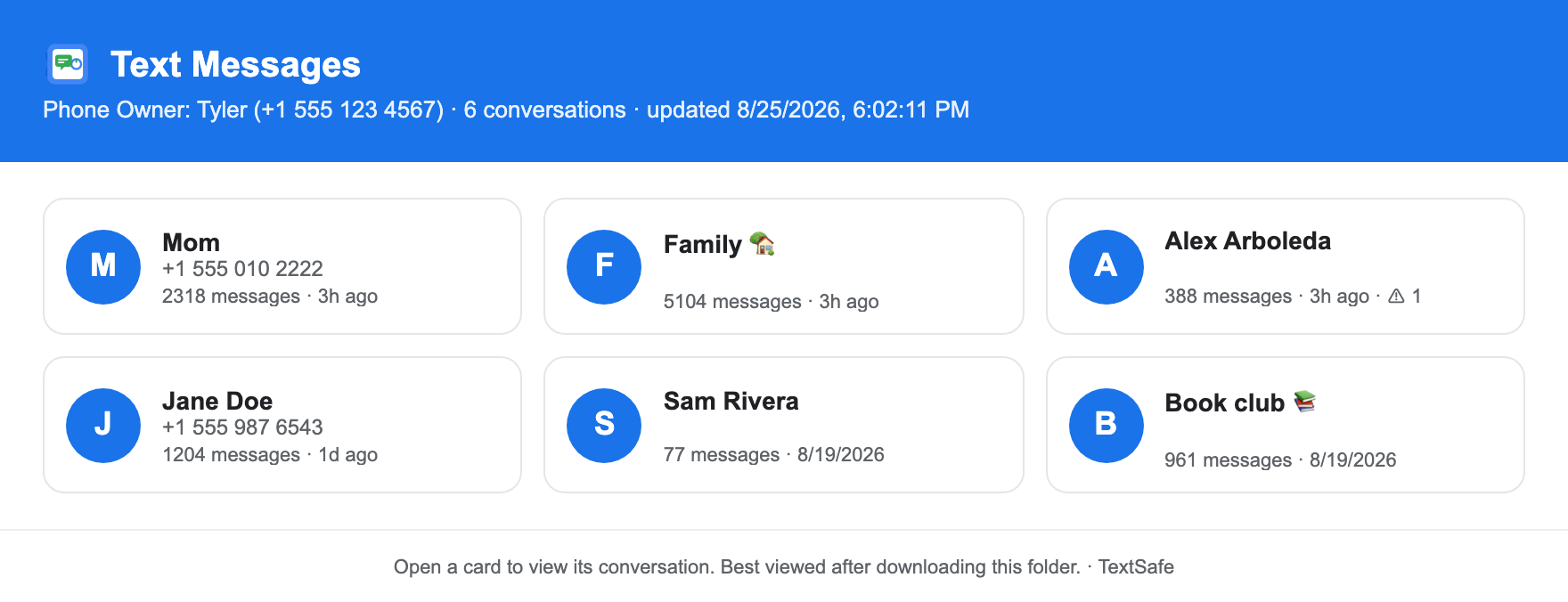
index.html — the archive homepage in your Drive, rebuilt on every run.Install
TextSafe is open source. Load the folder unpacked in chrome://extensions and follow the README to connect your own Google Cloud project.
Privacy
drive.file permission, which limits it to files and folders it created itself. It cannot read the rest of your Drive.FAQ
Android phones that use Google Messages for SMS/RCS. Pair the phone with Messages for web once and TextSafe reads from that page. iPhone/iMessage isn't supported: Apple has no web version of Messages, so there is nothing for a browser extension to read.
Yes. Messages for web mirrors your phone, so the phone must be online and paired while a backup runs. If a scheduled run fires with no Messages tab open, TextSafe skips it and tells you.
No. TextSafe only writes files in its own Drive folder and never deletes messages from your phone. By default, messages that disappear from the phone stay in the backup, marked deleted on phone. You can turn that off in Settings if you prefer a mirror.
They're saved into an attachments/ folder next to the conversation, and images up to 2 MB are embedded in the chat-style HTML so it's self-contained. Very large files (over 25 MB) are skipped and noted.
Yes, with one extra step: those browsers lack Chrome's built-in Google sign-in, so you paste a Web client ID into Settings and TextSafe uses a normal browser sign-in window instead.
Reading the page is the one fragile part of any tool like this. TextSafe checks its own results — an empty, one-sided or undated thread raises a warning in the popup and in the run log — and it never drops what was already saved. The selectors live in one clearly marked block for quick fixes.
No. TextSafe is an independent, open-source project. Google Messages, Google Drive and Chrome are trademarks of Google LLC.